
Today we're rolling out an app called Newt Cue for Mac and Android. It's designed to make the controls on these platforms feel more comfortable and accessible.
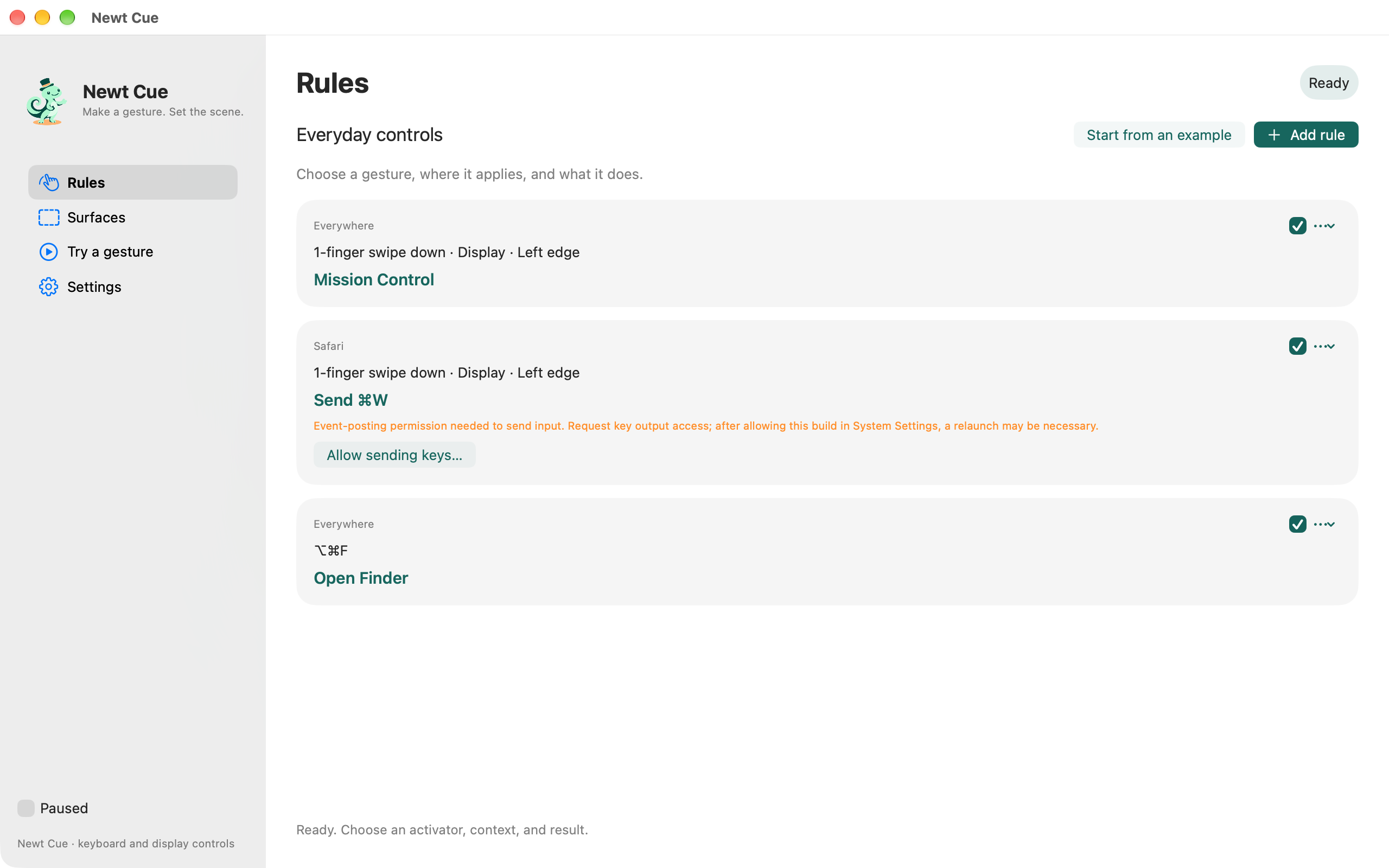
Newt Cue primarily allows for the creation of "pull zones", which allow Macs with touch, iPads via Sidecar, or Android devices to create custom system-like gestures.
Backstory and Purpose
The manner in which we interact with our devices is a ultimately a very personal act. Even though physically, form factors are getting more simple, software-wise, there are often subtle usability restrictions imposed.
A distinction should be made between what we want to do, and what the OS has built-in and allows us to do. In Mac OS X Snow Leopard for instance, Apple introduced touchpad gestures, and most prominently, four fingers down activated Expose (now named Mission Control). This was amazing!
This simple addition married the hardware and software (Apple's own marketing copy, but it's true!) and overnight transformed how the laptop is interfaced with. It became a core component of millions of OS X users' daily workflows.
Then, in OS X Lion, they changed it: Mission Control was now mapped to four fingers up instead of down. Ostensibly, this was inverted due to the introduction of "Natural Scrolling", but disabling that feature didn't restore the direction of the Mission Control gesture.
As a user, the only choice was whether or not to adapt to the new gesture. That's really annoying, because now a preference for one way of using the computer was introduce, and the the paradigm changed.
The goal of Newt Cue is to give you the tools to adjust your own gestures, and freely map different functionality as desired. On Android, I like to use three button nav still, but I also like the system wide back gesture. Now, that gesture can coexist.
Making room for preference
After using a device for a while, it's easy to forget which parts of the experience we actually chose. A movement becomes a habit, and eventually it feels like the obvious way to do something. But often, it's simply the way the manufacturer decided it would work. We learned it because that was what was available.
There's a good reason for having defaults. Nobody should have to design their own navigation system before they can use a phone! Consistent controls reduce the number of things we have to think about. But a sensible starting point can still be uncomfortable for a particular person, or stop fitting as their needs change. I think there should be room to say, "I'd like this to work a little differently."
That's the purpose of Cue. You choose a movement, what it does, and where it applies. A pull from an edge might take you Back, bring up Mission Control, or close a window, depending on the device and the app you're using. The useful part is being able to put an action where your hand already expects to find it.
It doesn't have to become a whole project of configuring your computer. Sometimes there's just one control you keep reaching for, or one gesture that never felt right. Being able to change that one thing is enough to make an app like this worth having.
A pull should feel like a pull
Getting an action to fire is only part of the experience. If a gesture is going to become something you use without thinking, it needs to feel connected to your hand. I wanted the edge to stretch with your finger, with a label showing what you're about to do and a little confirmation when the gesture is recognized. It should feel like you're pulling on something.
I spent time making that feedback feel similar across Android and Mac touch areas. They are different platforms, but the relationship between your movement and the response on screen should feel familiar when you switch between them. It's easier to show than to describe:
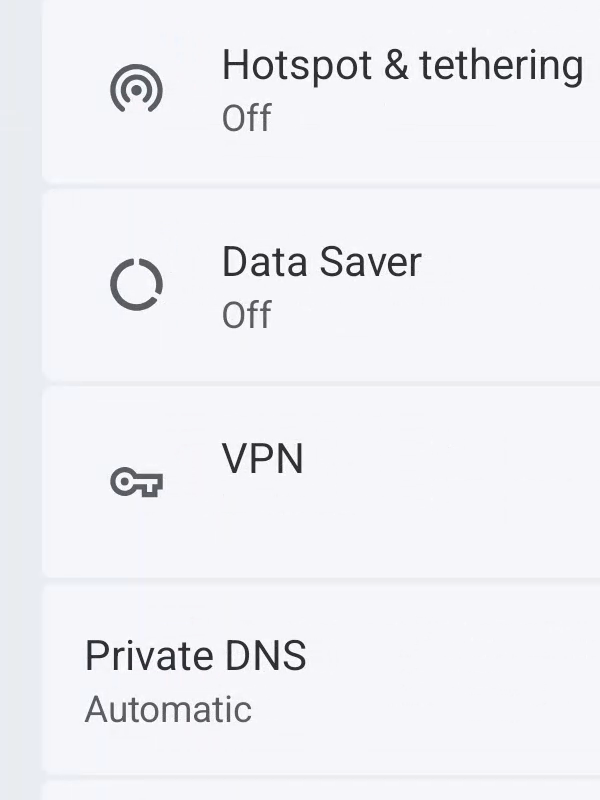 1. Start at the edge
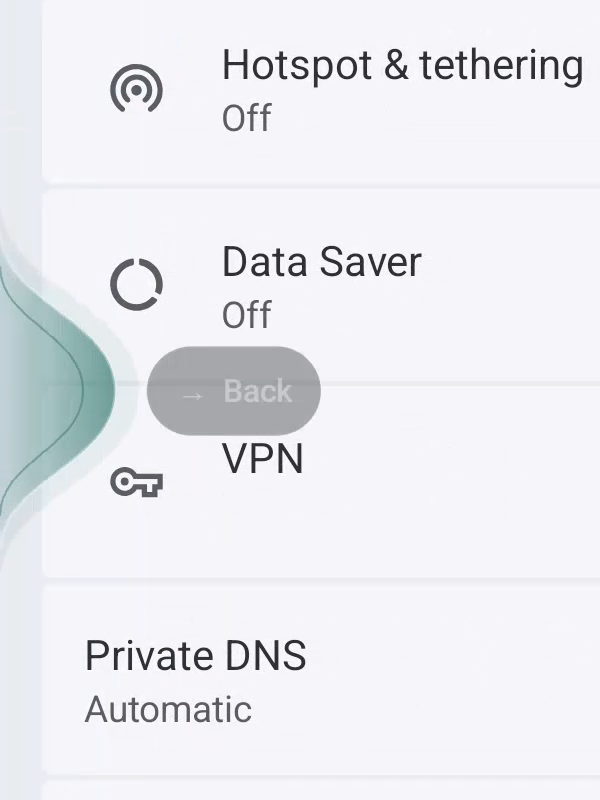 2. Begin to pull
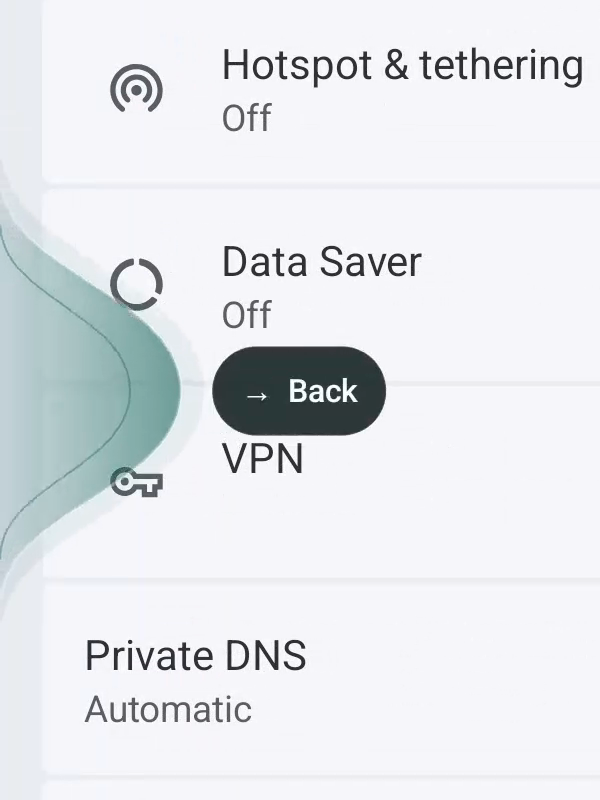 3. Stretch the edge
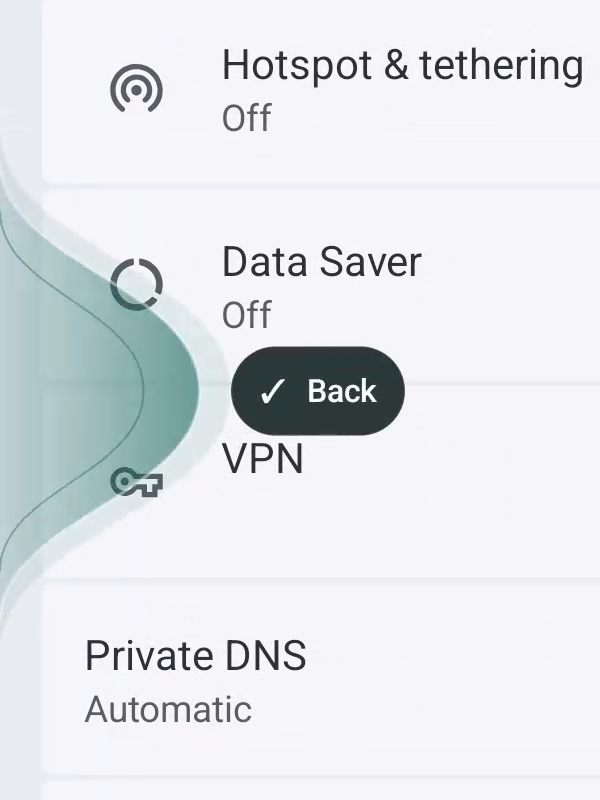 4. Get confirmation
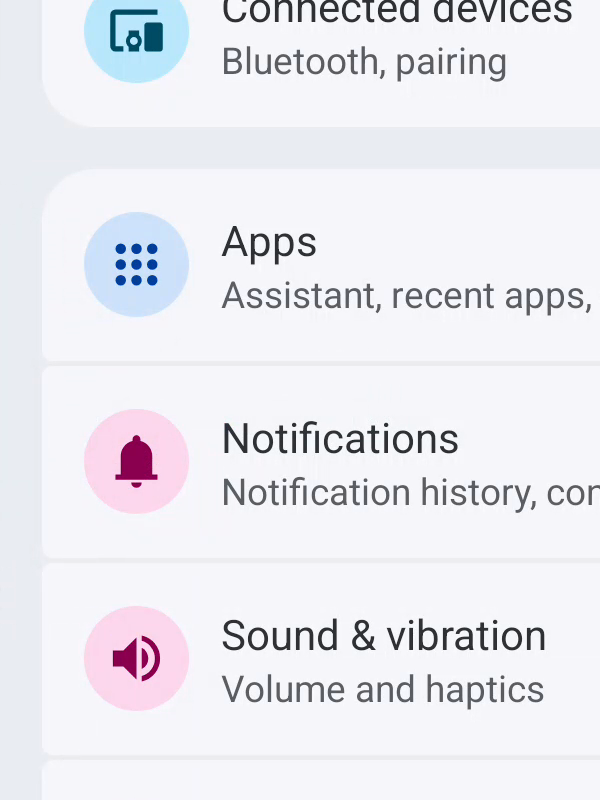 5. Back in Settings
That feeling matters as much as the assignment itself. You can adjust where an area sits and how far you need to pull it, so the gesture can fit your reach as well as the action you want. My hope is that after a little setup, Cue becomes something you hardly think about at all.
Bringing it to Android and Mac
On Android, Cue's everyday controls, including Back, Home, and Lock, work through the accessibility service without root. The Mac App Store edition offers keyboard shortcuts and touch areas on supported displays. For people who want to go further, the Advanced Mac download adds global trackpad gestures and more actions; the Android app also has optional extras for devices that already have root.
I'd like the idea to be straightforward wherever you use it: choose a control that feels comfortable and give it a useful job. Bringing that idea to each platform has meant working with some very different boundaries, though.
Why there are two Mac editions
The Mac app began with the trackpad. The access it uses to observe gestures across other apps relies on private Apple APIs, which App Store rules don't permit. That is why trackpad support lives in the directly distributed Advanced edition.
The new touchscreen MacBook Pro and expanded Sidecar touch support in macOS 27 and iPadOS 27 give the App Store edition a useful purpose of its own. The same gesture logic can work with a finger on a Mac display or an iPad acting as that Mac's display. Keyboard shortcuts fit alongside those controls too.
Without those touch workflows, I probably wouldn't have made a separate App Store edition. They make it worth bringing Cue to people who want to interact directly with their Mac's screen.
Why there's no iPhone or iPad app
Cue needs to place gesture areas over other apps and perform the actions you assign. Apple doesn't provide iOS and iPadOS apps with the system access needed to offer that experience. Their app isolation rules leave us without a supported way to build this version of Cue. Sidecar works because Cue is running on the Mac and controlling Mac apps.
I think Apple should make room for tools like this. Give people a clear permission prompt, visible controls, and an easy way to turn the access off. People have different hands, habits, and ways of moving. Choosing how to control a device should be a supported part of owning it.
Find the Android and Mac downloads here. Start with one action you repeat often and see where you'd like to put it. I'd love to hear what you come up with, and what could feel better.